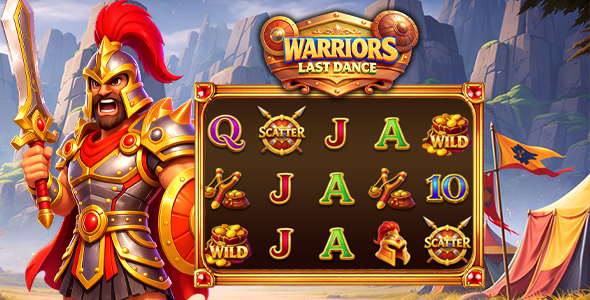
In brief
- Define the visual changes separately from the rules of the game.
- Inventory every asset and animation state before replacing files.
- Check an exported build on target devices, not just the editor canvas.
A reskin can be a focused project: change the identity and presentation while preserving a known baseline. It becomes harder to review when art replacement, animation timing and game-rule changes are mixed together. If you work with AI, make that boundary explicit at the beginning.
Write a visual brief and a protected list
Start with the audience, theme, palette, typography and target screens. Name the deliverables: symbols, logo, backgrounds, panels, buttons, sound and animation states. Decide whether you are replacing existing art or creating a new visual system with additional elements.
Beside that brief, write the protected behavior. For a presentation-only task this may include symbol identifiers, paytable values, reel configuration, mode costs, event ordering, balance calculations and result handling. Do not assume that retaining a similar appearance proves those values stayed intact.
The AI customization guide explains how to keep a working copy and review a bounded change. Use that workflow before replacing assets in bulk.
Make an asset inventory
An inventory should connect each source asset to its role and the screens where it appears. For each entry, record the filename, object or animation name, dimensions, alignment, relevant states, owner and permitted use. This prevents a visual task from turning into a search for unnamed files halfway through production.
| Asset group | What to check |
|---|---|
| Symbols | Recognition at small size, alignment and consistency across states |
| Logo and background | Safe placement behind the game's working area and legibility in a narrow viewport |
| Buttons and labels | Idle, pressed and disabled appearance; longer translated labels |
| Win presentations | Text contrast, large amounts, layering and dismissal behavior |
| Audio | Start/stop behavior, mute consistency and restart after interruption |
| Additional fonts | Rights, loading behavior, glyph coverage and readable fallback |
This is a suggested inventory, not an assertion that every listed feature exists in every package. Remove irrelevant entries and add the game's actual special screens.
Replace one family of assets at a time
Begin with a representative symbol or a background rather than replacing the entire library. Preview the change at the game's normal display size. Look for problems caused by a different silhouette, extra transparent padding, a changed anchor or reduced contrast.
Construct's project documentation describes how image resources relate to the project. Keep those references consistent and use supported editor operations where possible. Avoid letting an assistant rename objects and assets indiscriminately just to make the filenames look cleaner. Construct project format.
Once the sample replacement works, repeat the process for the rest of that asset family. Save a checkpoint after each family. If a later change breaks a state, smaller checkpoints help identify which change introduced it.
Give the assistant measurable limits
An example instruction for a visual-only working copy is:
Use the supplied visual brief and asset inventory.
Keep game rules, result data and existing public identifiers unchanged.
Identify the assets and states affected before making changes.
Do not patch generated browser output or invent missing animation names.
Report any required logic change as a separate proposal.
Return a before/after file list and tests to run at the target screen sizes.
This instruction does not guarantee correctness. It makes the intended boundary reviewable. Have the assistant explain unexpected changes instead of accepting a large diff because the final frame looks attractive.
Inspect motion, interruptions and smaller screens
A still image cannot show all the states the player will see. Run the changed build through the screens and transitions that the package actually supports. Include entry, loading, the main game, help, settings and any bonus or result presentation.
Try the narrowest target viewport with the longest label and largest formatted amount your supported configuration permits. Check touch targets and screen rotation. Interrupt sound, switch away and return. Inspect whether the game resumes cleanly and whether art or overlays obscure important controls.
Use fixed test data or a documented replay route where available. Label any debug-only route clearly and keep it out of release output. Comparing different random outcomes is a poor way to decide whether two presentations behave identically.
Keep visual acceptance separate from math acceptance
A presentation review can record that text fits, symbols remain distinguishable and transitions are readable. It cannot certify the underlying result distribution. If the request changes payouts, reels, bonuses or mode rules, create a separate task with appropriate mathematical tests.
For a development path using Stake Engine, the math foundations guide describes a separate analysis workflow. A visual reskin is not evidence of mathematical validation or approval by a publishing platform.
Confirm rights and package the handover
Record permission for each replacement asset and any required credits. A purchase license and permission to redistribute source assets are not the same question. Refer to the actual contract and marketplace rules rather than assuming that changing colors removes restrictions. Envato License FAQ.
Deliver the working project, exported browser build, asset inventory, change log and test notes together. Include unresolved issues and the source version used as the baseline. A short recording of the tested states is more useful than a promotional claim that the reskin is flawless.
Browse the Slotgen catalog to choose a visual starting point. Its images are original CodeCanyon listing covers, not evidence of a custom reskin already completed. For a tailored project, send the theme, target screens and desired changes through the project planner.